My district set a very strong goal this year. The goal is that 100% of our students will be reading at grade level. With that we have been given many PL's, more resources, and they adjusted our reading block. Data showed that just reading is the best way to improve their scores. With that in mind we changed our block to have a 30 minute period of uninterrupted reading, and we started reading conferences.
I made many adjustments to my reading curriculum. I started with my reading block. After lunch I had been having silent reading to help calm them from the chaos of lunch and recess; I continued to do it during that time, but I changed it so I was conferencing them as well. Part of our PL's we were given
Jennifer Serravallo's Reading Strategies book, and were trained on how to use that for small groups and individual conferencing. For my conferencing I found a form to use with each student to track their reading throughout the year. You can find it
here. I then uploaded it in OneNote where I had created a classroom notebook where I had a file for each student. Within there I could write or type in each box for my tracking. I wrote down what books they were reading, why they chose it, how they read the story aloud to me, how they noticed the pictures with the text, how they retold the story, words they asked for meaning on, things we researched because they had questions from the text, etc.

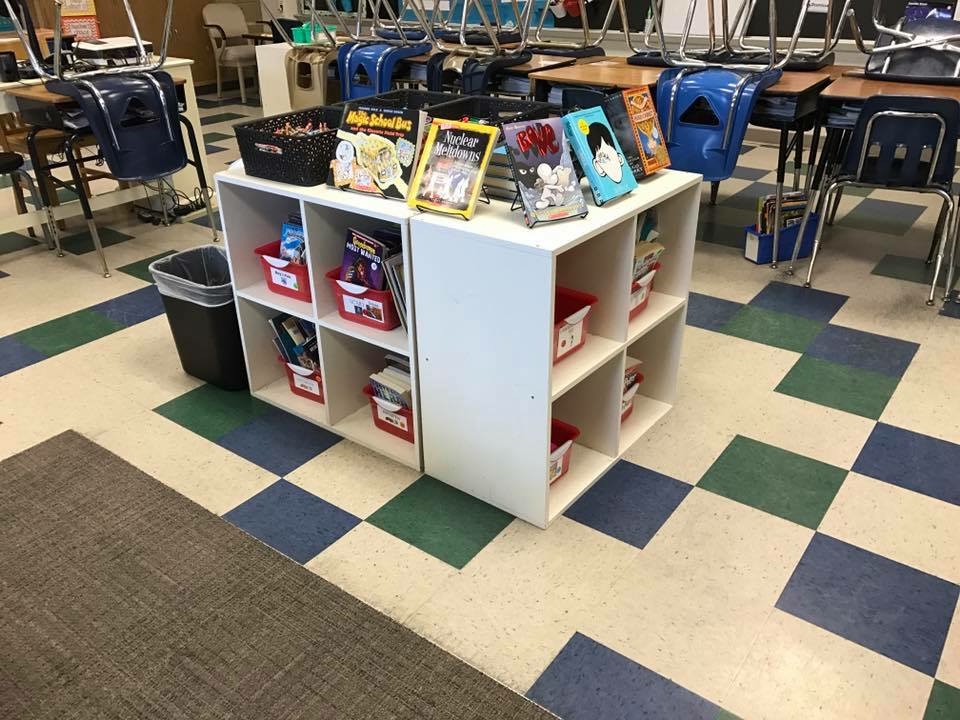
The next area I modified was their access to books. In our PL's we learned about how your classroom library is organized helps students choose their books. My classroom library was already pretty well organized, but I still made improvements to it. I made sure the books were in bins by genres so they could easily flip through a genre they liked vs having to pull the books off of the shelf. Each book I made sure it was labeled with its lexile level on the inside and front cover of the book. To help them know where to return their books I labeled each bin with an assigned number; each book within the bin had the bins number written on the cover of the book. Some of my genres have multiple bins because I have so many books. I also made it so my bins all weren't in the same place; I have placed many around the room. I also only allow one student in charge of putting the books away, I make it a class job each week. I saw another teacher use a trash can and loved the idea so I had to make my own as well! Then I worked with the students on deciding the rules for our classroom library. They came up with the hours, and decided on what books go in their book bins.



Looking at my classroom library that is a lot of books to keep track of. That was also part of the student responsibility. I created a google form for checking out books and checking in books. I gave them access to the link in an assignment in Showbie (I took away the due date so it would stay all year), and I also gave them access through our classroom Symbaloo. Once they checked in their books on our google form they put them in our return bin, chose new ones based on our criteria for our book bins, then they checked them out on the other google form with their iPad.


I wanted the students to be more responsible for their reading data this year. In the past I was constantly asked during progress monitoring if they were hitting their goals, which I would then have to look up. This year, after our beginning of year testing, I sat down with each student individually and we came up with their reading goal. We use DIBELS and SRI in my district; each system shows us typical growth for each student. Once we made their goals, I wrote their goals on their desk with a sharpie (dry erase marker takes it off). Then every time I progressed monitored them they were able to determine on their own if they met their goal. Once they met their goal we worked and set a new one. I also had them make posters to hang in the room so they had another visual reminder. Anytime an adult in the building came in my room they could see my students reading goals, and my students were able to always tell that adult their own goal. I created my own system for tracking it in my data binder.
Here is where you can find my system. My system I send home with the students at the end of the year to show their parents their growth as well - I no longer need it because I can print reports from our system we use for the next years teacher.


The data is starting to come in and it is amazing! The data I have in is for SRI, it measures their reading comprehension and helps determine their reading level. At the beginning of the year I had 9 students red (below), 13 yellow (approaching, and 7 green (on level or above). Now I have 6 students red, 8 yellow, and 15 green. Red decreased by 67%, yellow decreased by 62%, and green increased by 50%. It amazes me that they worked hard and we were able to decrease the approaching and below levels by over 50% and see a 50% growth for my grade level! This data tells me that at the beginning of the year 24% of my class was reading at grade level, and by the end of the year 52% of my class was reading at grade level! I can definitely prove that increased time reading independently with conferencing does improve students reading scores!!!!